Healthcare administration

Make new patient and administrative documents easier to complete.

Use the PDFs your practice already relies on, collect supporting documents, request signatures, and share sensitive administrative files without sending attachments back and forth by email.

$9.99/month. 3 seats included. No credit card required.

Why Vukorix

Less chasing. Clearer documents. A simpler patient experience.

Use the forms you already have

Prepare existing new patient, consent, referral, and administrative PDFs without rebuilding them in another platform.

Collect everything in one request

Give patients one checklist for the completed form and any supporting documents your team needs.

Keep sensitive files out of email attachments

Use controlled links for document collection and sharing instead of distributing copies through inboxes and sent folders.
Secure Receive

Collect completed forms and supporting documents together.

Send one request for the new patient form, referral, identification document, or other administrative files.

  1. List the required and optional documents
  2. Send one patient request link
  3. See what has arrived and what is still outstanding
Explore Secure Receive →
E-Sign

Send consent and administrative PDFs for signature.

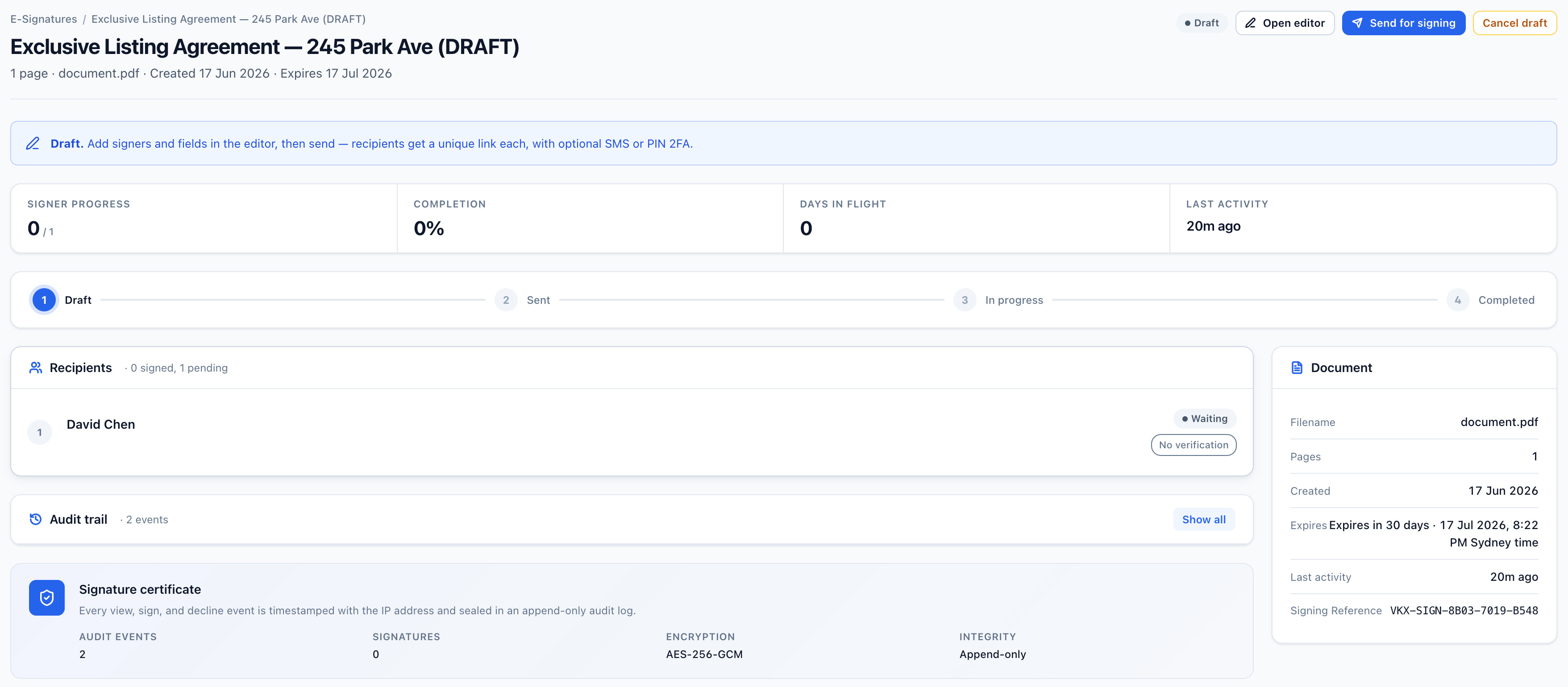
Prepare the document once, notify the recipient, and keep the completed PDF and audit certificate together.

  1. Upload the PDF and place the required fields
  2. Send the signing link
  3. Download the signed PDF and audit certificate
Explore E-Sign →
Vukorix E-Sign editor showing a PDF with signature, date and name fields placed for a signer
Secure Share

Share sensitive administrative files with more control.

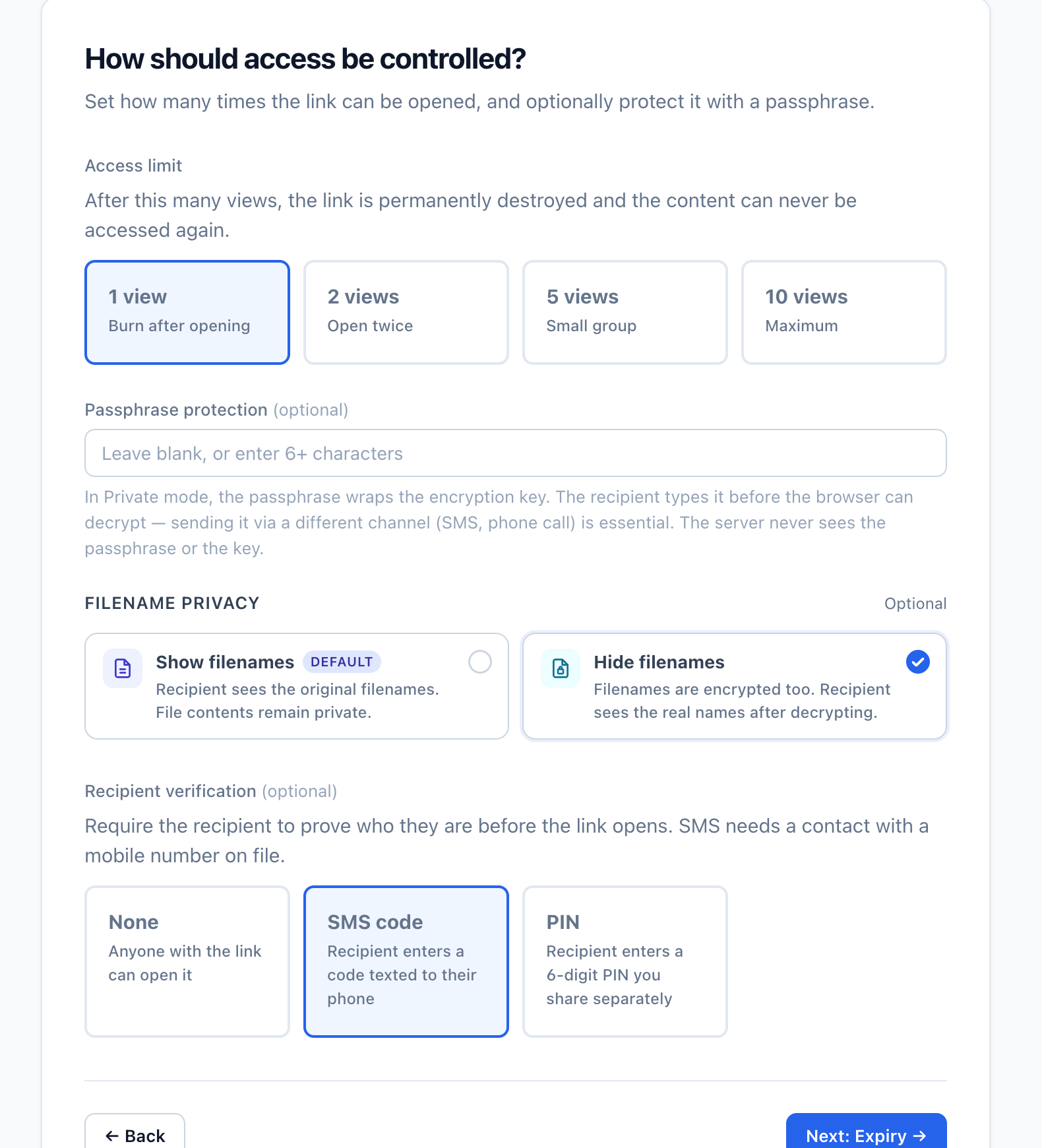
Send a controlled link with an expiry date, view limit, and optional access check instead of attaching the file to email.

  1. Choose the file
  2. Set the access controls
  3. Send the controlled link
Explore Secure Share →
Vukorix Secure Share access controls showing view limits and optional password, PIN or SMS protection
For clients

One clear task for the patient.

Patients receive a focused link to complete the form, upload the requested documents, sign, or open the file. For most recipient tasks, no Vukorix account is required.

Recommended Vukorix tools: Smart Forms · Secure Receive · E-Sign · Secure Share

FAQ
Can patients complete an existing new patient PDF?

Yes. Smart Forms starts with the existing PDF and adds the fields the patient needs to complete through Vukorix.

Can patients upload supporting documents without an account?

Yes. Patients can open a Secure Receive request and upload the requested documents without creating a Vukorix account.

Can healthcare teams send documents for signature?

Yes. E-Sign can send consent and administrative PDFs for signature and return the completed PDF with an audit certificate.

Does Vukorix replace our privacy, professional, or record-retention obligations?

No. Your organisation remains responsible for its privacy, professional, legal, and record-retention obligations.

Make healthcare document administration easier.

Try every Vukorix product for 7 days. No credit card required.