USE CASES

What document job do you need to get done?

Vukorix gives your business six practical tools for sending, signing, collecting, sharing, reusing, and completing documents.

Start with the job in front of you. The right Vukorix product is included in the same straightforward subscription.

$9.99/month. 3 seats included. No credit card required.
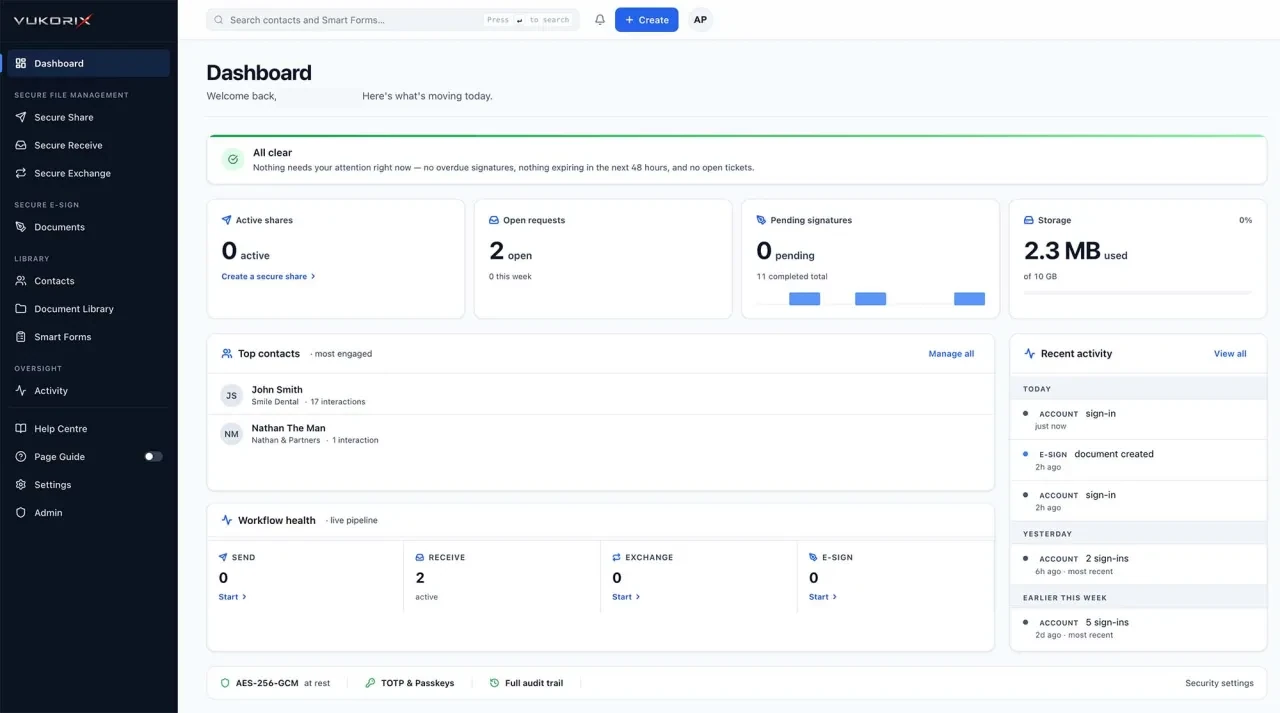
Vukorix dashboard showing document activity, outstanding requests, signatures, and secure shares
START WITH THE JOB

Choose what you need to do.

Each Vukorix product is designed around a practical document task.

Send a sensitive document

Use a controlled link with an expiry date, view limit, and optional recipient access check instead of attaching the file to email.

Use Secure Share

Request documents from a client

Send one checklist and upload link, then see what has arrived and what remains outstanding.

Use Secure Receive

Exchange documents in both directions

Collect client files and send documents back while keeping incoming and outgoing items together.

Use Secure Exchange

Get a PDF signed

Prepare the fields, notify the recipients, and receive the signed PDF with an audit certificate.

Use E-Sign

Reuse an approved PDF

Keep standard PDFs ready and start a fresh E-Sign draft without changing the saved original.

Use Document Library

Make an existing PDF easier to complete

Add the required fields, send the PDF through Vukorix, and receive the completed document back.

Use Smart Forms
USE THE TOOLS TOGETHER

Common document situations, handled in one account.

Some client tasks need more than one product. Vukorix keeps the tools together without making the process complicated.

01

Onboard a new client

Request supporting documents with Secure Receive, collect a completed PDF with Smart Forms, and send the engagement or authority document through E-Sign.

02

Send documents and receive files back

Use Secure Exchange when documents need to move in both directions and remain connected to the same client exchange.

03

Reuse standard documents

Keep the approved PDF in Document Library, start a fresh E-Sign draft, and send a controlled copy through Secure Share when needed.

BY INDUSTRY

See how Vukorix fits your line of work.

The document jobs are similar across industries, but the documents and client experience are different.

USE CASES FAQ

Choosing the right Vukorix tool.

Which tool should I use to send a document?

Use Secure Share when the recipient needs to open a controlled file link. Use E-Sign when the PDF needs a signature.

Which tool should I use to collect documents?

Use Secure Receive for a checklist and client upload request. Use Secure Exchange when your team also needs to send documents back.

Can I use more than one Vukorix product?

Yes. All six Vukorix products are available from the same account and are included in Vukorix Business.

Do clients need a Vukorix account?

For most recipient tasks, no. Clients open the link to sign, upload, complete, or access the requested document.

Start with the document job in front of you.

Try all six Vukorix products for 7 days. No credit card required.