SECURE DOCUMENT SHARING
Share sensitive documents without email attachments.
Create a controlled link with an expiry date, view limit and optional access check. The email carries the link rather than a copy of the document.
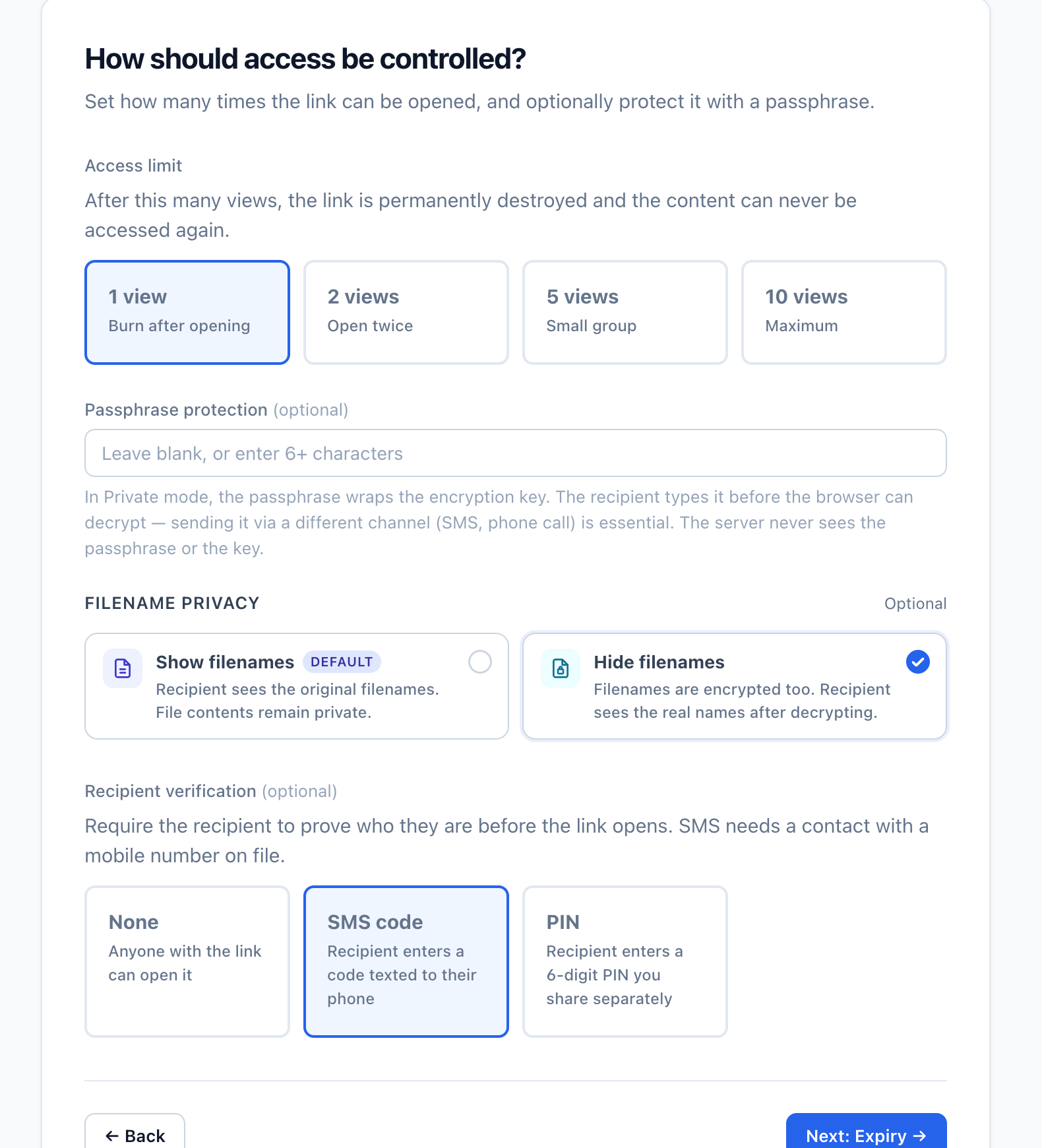
Create a controlled link with an expiry date, view limit and optional access check. The email carries the link rather than a copy of the document.

Set an expiry date or view limit so the link does not remain available indefinitely.

Use a PIN, password or SMS code so access to the email alone is not enough to open the share.

Add a short note so the recipient knows what the file is and why it was shared.

In Private mode, show a generic document label until the recipient unlocks the file.

Expire the link manually when the recipient no longer needs access.

Share a controlled link instead of distributing copies of the document as email attachments.
Prepare the file and recipient message before setting the access controls and creating the share.
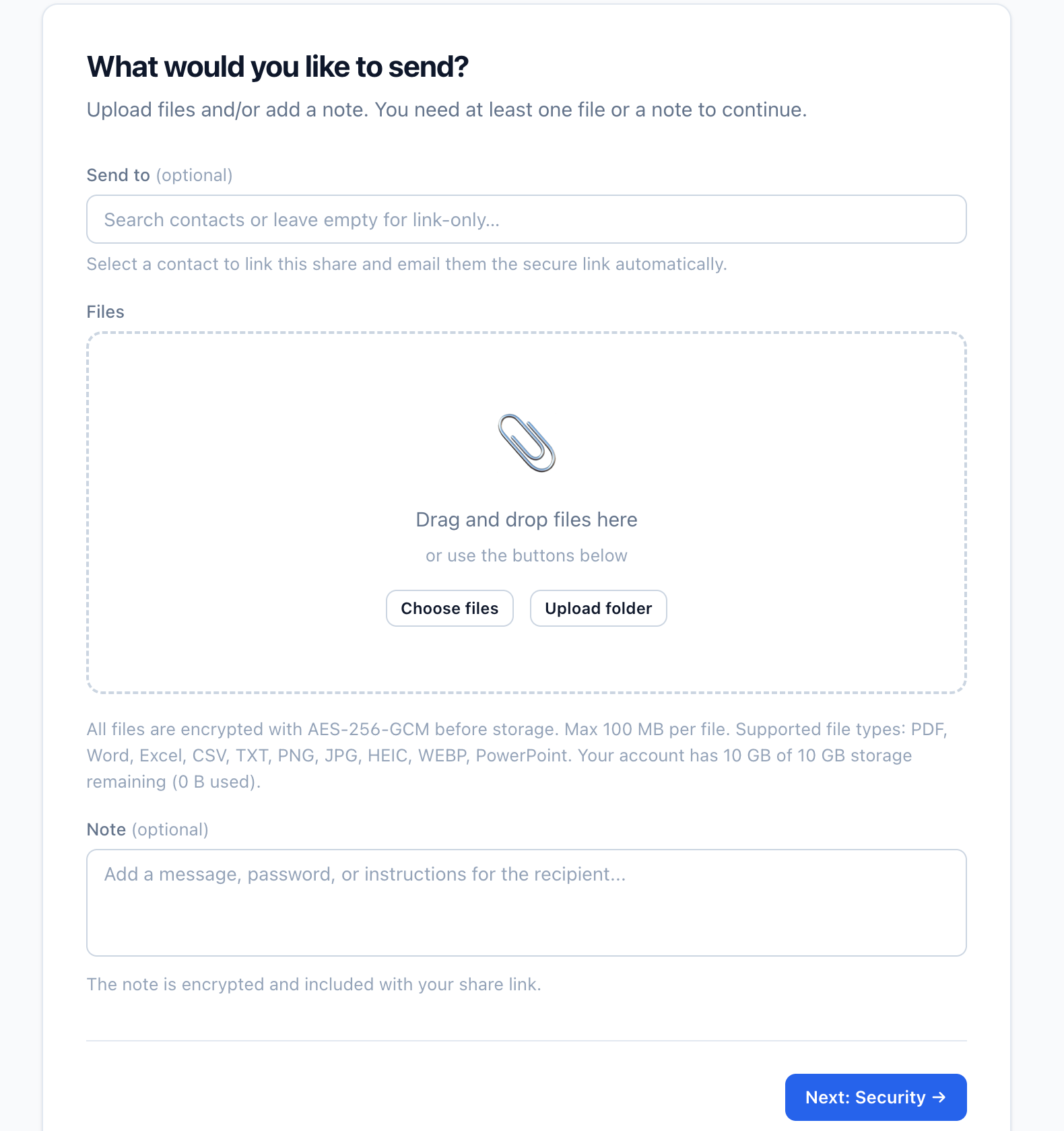
Both modes use controlled links and access settings. Standard encryption supports the complete sharing workflow, while Private mode adds browser-side encryption for supported files.
Files are encrypted in transit and at rest while Vukorix systems provide the share, status and access controls.
The file is encrypted in the sender's browser before upload. Vukorix stores only encrypted file data, and the recipient unlocks it using the required link information or passphrase.
Private mode links contain or rely on the information required to unlock the file. Store and share the link carefully because Vukorix cannot recover the file if that information or the passphrase is lost.
Secure document sharing uses a controlled link instead of distributing the file as an email attachment. You can set an expiry date, view limit and optional access check.
Email attachments remain in inboxes, sent folders and forwarded copies. Secure Share sends a controlled link, lets you decide when access ends and can require a PIN, password or SMS code.
You can set an expiry date or view limit and add a PIN, password or SMS code. You can also expire the link manually when access is no longer required.
Private mode encrypts the file in the sender's browser before upload. Vukorix stores encrypted file data and has no access to the file contents.
No. If the required link information or passphrase is lost, Vukorix cannot recover the file contents.
Related workflows: Secure Receive · Secure Exchange · Pricing
Common use cases: Real estate · Mortgage & finance · Legal · Healthcare · Professional services
Start with a 7-day free trial. No credit card required.